![Straker AI Logo - Blue-Black - Horizontal_500ppi-2.png]](https://help.straker.ai/hs-fs/hubfs/Straker%20AI%20Logo%20-%20Blue-Black%20-%20Horizontal_500ppi-2.png?width=188&height=65&name=Straker%20AI%20Logo%20-%20Blue-Black%20-%20Horizontal_500ppi-2.png)
View our demo video to see how human translation works.
To upload document files for Human Translation, perform the following:
1. Drag and drop a document file inside the message box or click on the attach button to upload a document file from your computer, and then press Enter.
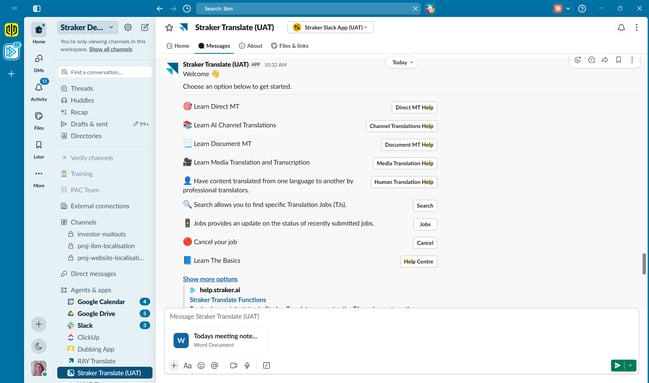
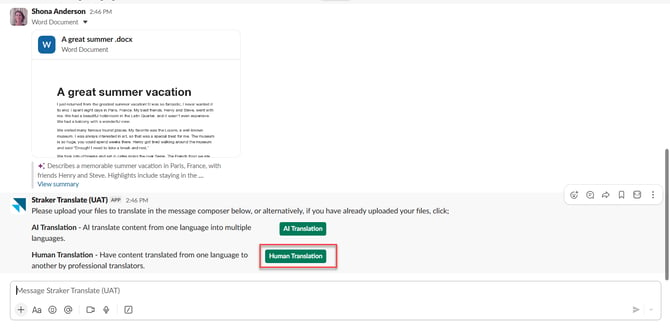
2. Select the Human Translation button.
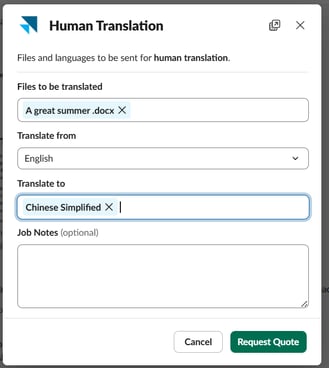
3. Configure your request: a Human Translation modal appears — "Files and languages to be sent for human translation" — with your file(s) to be translated pre-filled. Select the languages to translate from and to, then click Request Quote (or Cancel to back out)
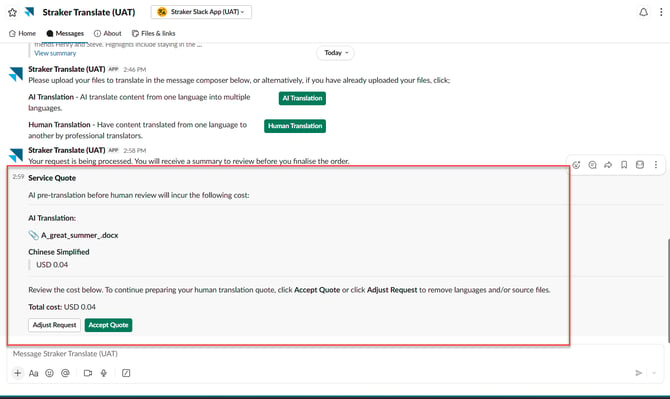
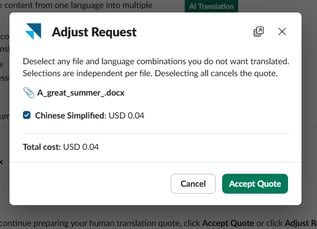
4. A message is posted showing the cost of the AI translation. Review the cost, then click Accept Quote to proceed or Adjust Request to deselect languages/files or cancel the request.
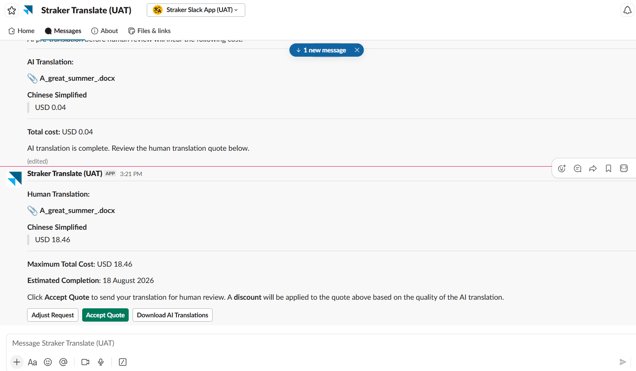
5. Review the Human Translation quote: once AI translation completes and you click Accept Quote, the app posts the maximum Human Translation cost per target language, plus an Estimated Completion date. At this stage, you can click Adjust Request to deselect specific languages or files — this instantly updates the total cost estimate. Or click Download AI Translations to preview the AI-translated draft before deciding whether to send it for human review. Neither action affects the quote or commits you to anything.
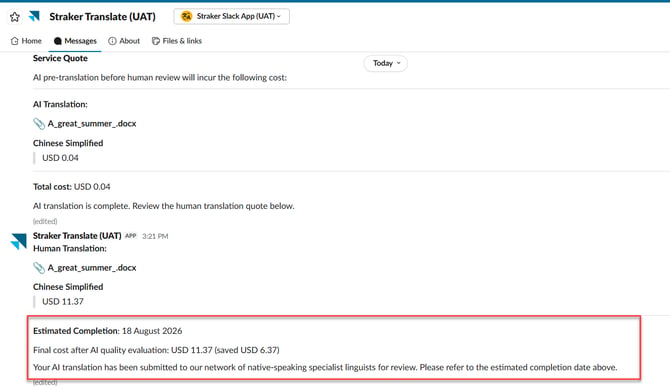
Note: Automatic Quality Evaluation (IBM workspaces only): after AI Translation quote acceptance, Quality Evaluation runs automatically to assess AI translation quality and applies a discount to the final cost based on the AI translation quality. There's no separate service to select or quote to accept for this step.
6. Finalize the request: select Accept Quote on the Human Translation quote.
7. The app confirms your translation has been submitted to the linguist network and displays the estimated completion date.
8. Download your translation once complete.